Failed to open 4104376599 . NxLibException: ExecutionFailed, (errorcode=0x11), path=/Execute/initcamera
error details: UEye API error 212 at </uEye/src/uEyeCamera.cpp:1544>.
The sensor couldn’t connect with above error. Couldn’t find any uEye error code that is 212 in the web.
Although it fixed itself after reinitializing the NxLib and restarting the uEye driver process, still want to know what is the reason to cause this issue.
This error is reported by the UEye API. Error code 212 isn’t listed in my documentation, but perhaps @ids-ensenso, @u.seitz, or @n.rein could provide some insight.
The error code means IS_NO_SUCH_DEVICE. It’s a new error code that has been introduced to resolve the error code IS_CANT_OPEN_DEVICE in more detail.
You can see the detailed description in the ueye header file ueye.h
#define IS_CANT_OPEN_DEVICE 3 // returned by is_InitCamera #define IS_NO_SUCH_DEVICE 212 #define IS_DEVICE_IN_USE 213
Probably it’s caused by an error during network communication.
To provide you further support to this issue, it would help to get the logfiles from Linux (ueyeethdrc.service) and from the IDS uEye cockpit . (View - Log Window)
This error is independet from Optonic software. Please send the logfiles with a short description to support@ids-imaging.com or create a technical support ticket on our webpage.
If you move the discussion and manage to fix this issue behind closed doors, can @ids-ensenso or @KuanYu please post a short summary here, so any future readers can fix this issue themselves?
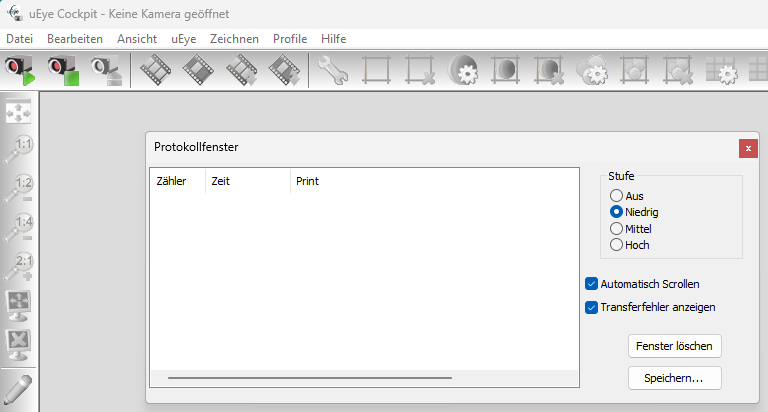
uEye Cockpit log file - The screenshot is from a German version. Open the log window via “View” - “Log Window” - Maybe it makes sense to check which log level is needed to catch the error
You get it by typing “journalctl” in the terminal. You can find details for more specific logs online. For example specifying the time range:
journalctl --since “2017-05-23 23:15:00” --until "2017-05-23 23:20:00
Checking the serialnumber of your 2D camera shows, that it is a networkcamera.
Please check the networksetting as described in the Ensenso manual.
If your 2D and 3D camera are sharing 1 GBit/s bandwidth of the networkadapter, make sure that the bandwidthlimit is set to a maximum of 490 MBit/s. Usually NxView does set the values correctly.