Issue: Customer is making their apps via MFC (C++).
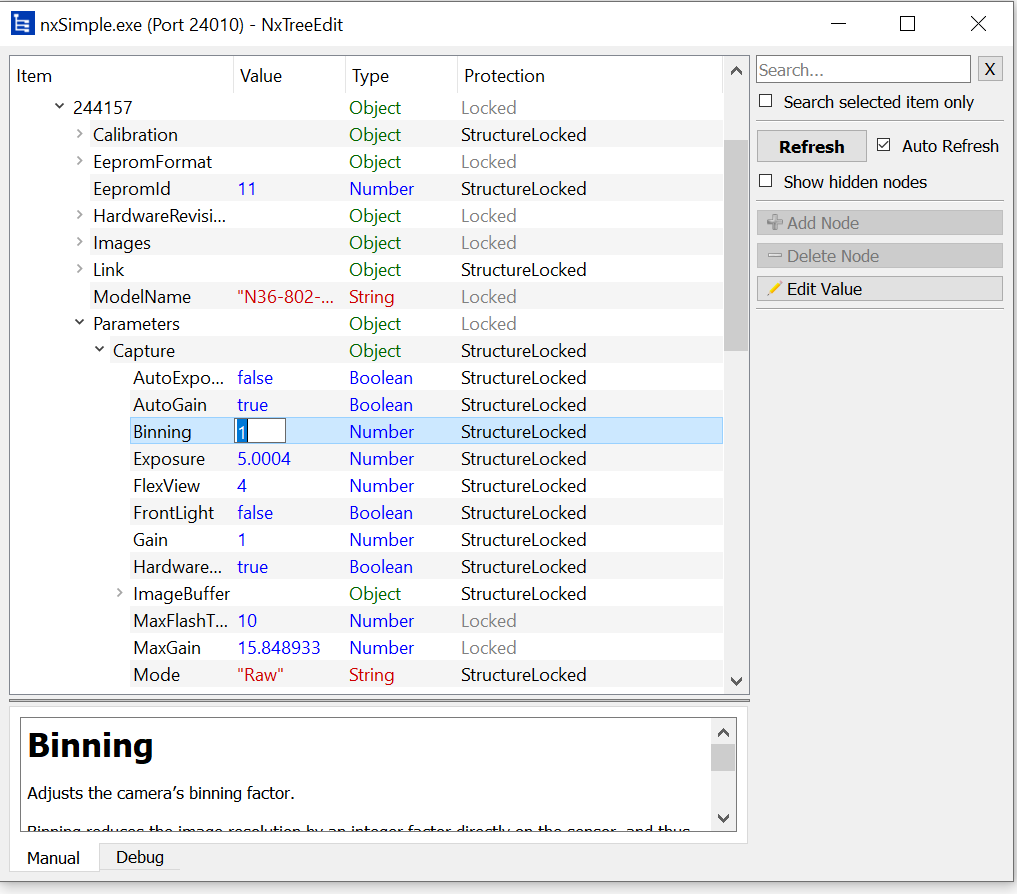
However when they try to access NxTreeEdit from their Apps, they can only access Debug mode. so they cannot access like Binning or Size parameter. (read only mode)
Camera: Ensenso N36 SDK: 3.4.715 Other Tests: The customer confirmed the following.
It also occurs in Windows 10 and 11 environments.
It also occurs in SDK 3.2.489, 3.4.715, and 3.6.
It also occurs in the sample programs C and C++ included in the SDK.
But it does not occur in C#.
I just modified sample program nxSimple as below for the test.
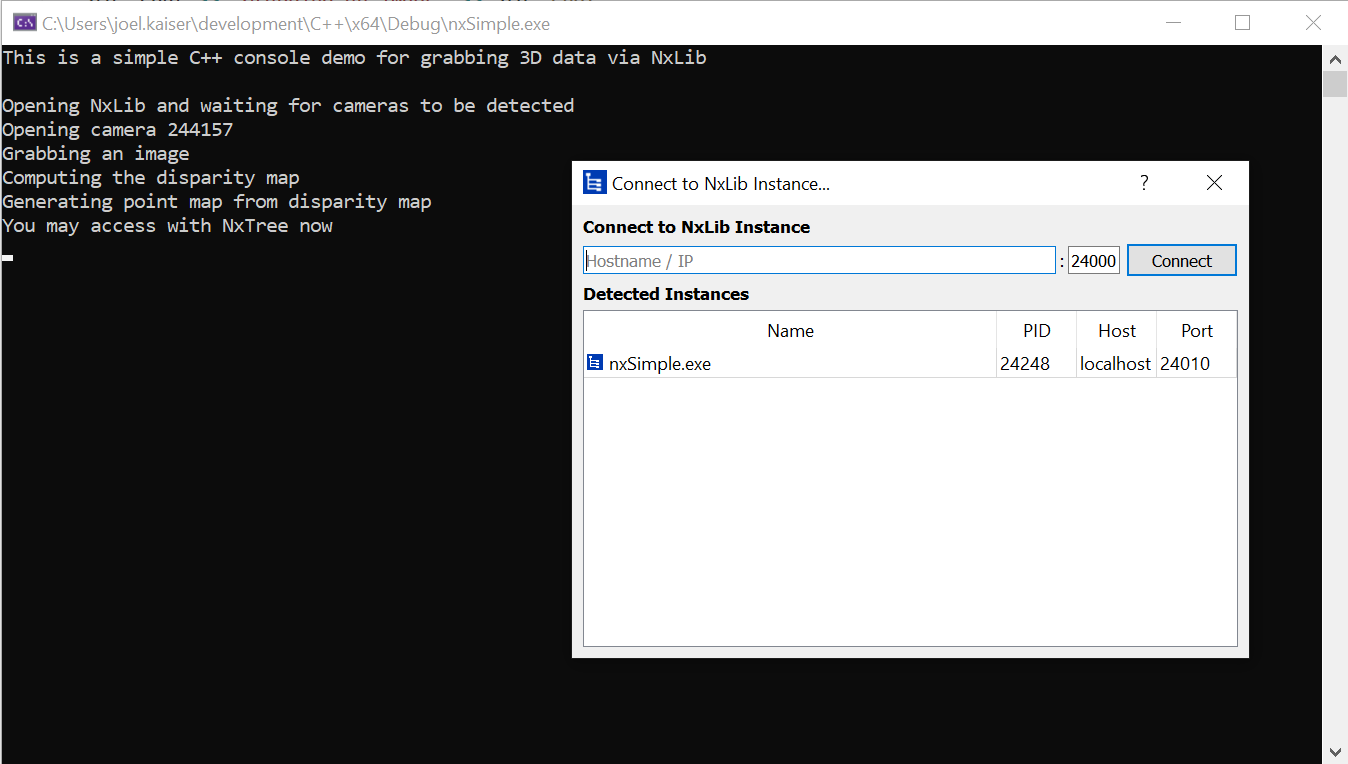
I modified the nxSimple example as below to enforce the usage of my camera with the serial 244157 and additionally added a std::cin.ignore() to prevent the NxLib from finalizing, giving me the possibilty to access the lib on port 24010:
@@ -31,11 +31,11 @@ int main()
try { // Use try/catch for error handling
std::cout << "Opening NxLib and waiting for cameras to be detected" << std::endl;
nxLibInitialize(true);
+ nxLibOpenTcpPort(24010);
+ std::string serial = "244157";
// Create an object referencing the camera's tree item, for easier access:
- NxLibItem camera = getAvailableCamera({valStereo, valStructuredLight});
-
- std::string serial = camera[itmSerialNumber].asString();
+ NxLibItem camera = NxLibItem()[itmCameras][serial];
std::cout << "Opening camera " << serial << std::endl;
NxLibCommand open(cmdOpen); // When calling the 'execute' method in this object, it will synchronously execute
// the command 'cmdOpen'
@@ -69,6 +69,9 @@ int main()
camera[itmImages][itmPointMap].getBinaryDataInfo(&width, &height, nullptr, nullptr, nullptr, nullptr);
camera[itmImages][itmPointMap].getBinaryData(pointMap, nullptr);
+ std::cout << "You may access with NxTree now" << std::endl;
+ std::cin.ignore();
+
// Compute average Z value
std::cout << "The average z value in the point map is " << std::setprecision(1) << std::fixed << std::showpoint
<< computeAverageZ(pointMap, width, height) << "mm.\n";
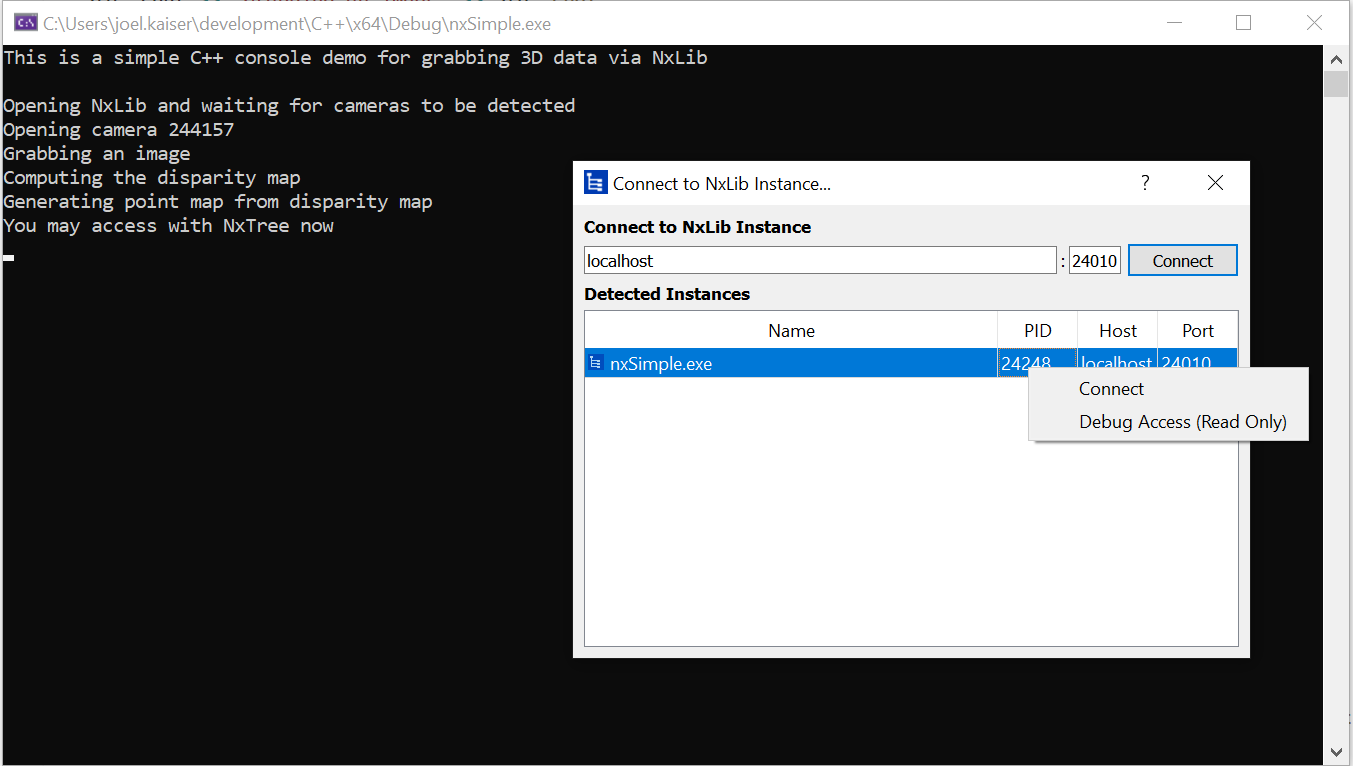
The next step is unclear for me, I have to right click on the nxSimple.exe entry to open it in Debug Access otherwise it would open in default writeable mode.
What prevents the customer from connecting withTreeEdit to the NxLib in use without using the debug access? Is there any error message? My understanding of debug access is that it is an additional feature and normal access should always be possible if the debug access is.
a colleague of mine gave me a hint about what might be the confusion here.If the customer might want to access via TreeEdit while he has stopped the application that links to the NxLib using a debugger then he cannot access in write mode. Not only the application is stopped, but also the NxLib against which it is linked, so the NxLib cannot respond to TCP requests. In this case you can access the Tree in debug mode, read-only via shared memory (the actual use-case for this debug mode).
I don’t know exactly what differs from the C# application. Either the C# debugger handles stuff differently or the C# application uses a NxLibRemote instead of a NxLib.
I found that the reason why the customer and I could not connect via NxTreeEdit, it is because we used a breakpoint to prevent NxLib from finalizing.
If I use std::cin.ignore(), it works fine.
Customer has several questions.
In other words, you can’t set breakpoints in C++ and C.
Is this the same specification as before?
I used to use Halcon and remember that I could see whenever I opened.
so my colleague had the right assumption when he assumed that the application was stopped using a debugger.
I think I should be a bit more detailed about my previous statement:
Not only the application is stopped, but also the NxLib against which it is linked, so the NxLib cannot respond to TCP requests.
NxTree is using a NxLibRemote under the hood to display the state of the NxLib executed by the application. The NxLibRemote communicates via HTTP (and therefor TCP/IP) with the NxLib. The api in use can also be accessed via your browser: If you run a NxLib locally on e.g. port 24000 you can open the tree as json in your browser http://127.0.0.1:24000/api/tree
I’ll try to answer the questions:
In other words, you can’t set breakpoints in C++ and C.
You can set breakpoints in a C++ and C application to debug that application, looking at the memory, internal variables and even at the NxLib state with the NxTree in debug mode. A C/C++ debugger stops the execution of the application and all loaded dlls, so it is not possible to change entries in the NxLib using NxTreeEdit on hold.
Is this the same specification as before?
I used to use Halcon and remember that I could see whenever I opened.
I don’t know exactly what is meant by specification, but the behaviour has always been like this and is determined by the debugger used. I don’t use Halcon myself, but I can well imagine that Halcon does not stop the NxLib when a script is interrupted. Using a Halcon script is quite different from using a C/C++ application in terms of debugging. When executing a Halcon script, the actual application (namely Halcon) is not stopped even during debugging, only the interpretation of the script is paused. It is therefore possible with Halcon to continue running the loaded NxLib when pausing a script.
Also, looking at the components, it appears to be accessed from nxlibremote64.dll.
Yes, NxTreeEdit links against NxLibRemote64 to communicate with another NxLIb.
Are there any way to access anytime? (by using NxLibRemote?)
If you want to use a NxLib with C++/C application and access the NxLib to modify it via NxTreeEdit while the application is stopped by a debugger you might want to open the NxLib with an additional application that runs the Lib until a stop is requested, e.g. reducing the example to the following:
#include "nxLib.h"
#include "../common/example.h"
#include <iostream>
int main()
{
try {
nxLibInitialize(true);
nxLibOpenTcpPort(24010);
std::cout << "Press Enter to stop" << std::endl;
std::cin.ignore();
} catch (...) { // Display exception, close camera, finalize lib and exit
exitOnException();
}
closeAndFinalize();
return 0;
}
The application to debug will use a NxLibRemote instead of a NxLib in the scenario. Take a look at the nxGetLog example how to accomplish this.