Calibration board cannot be detected after applying intrinsic calibration results
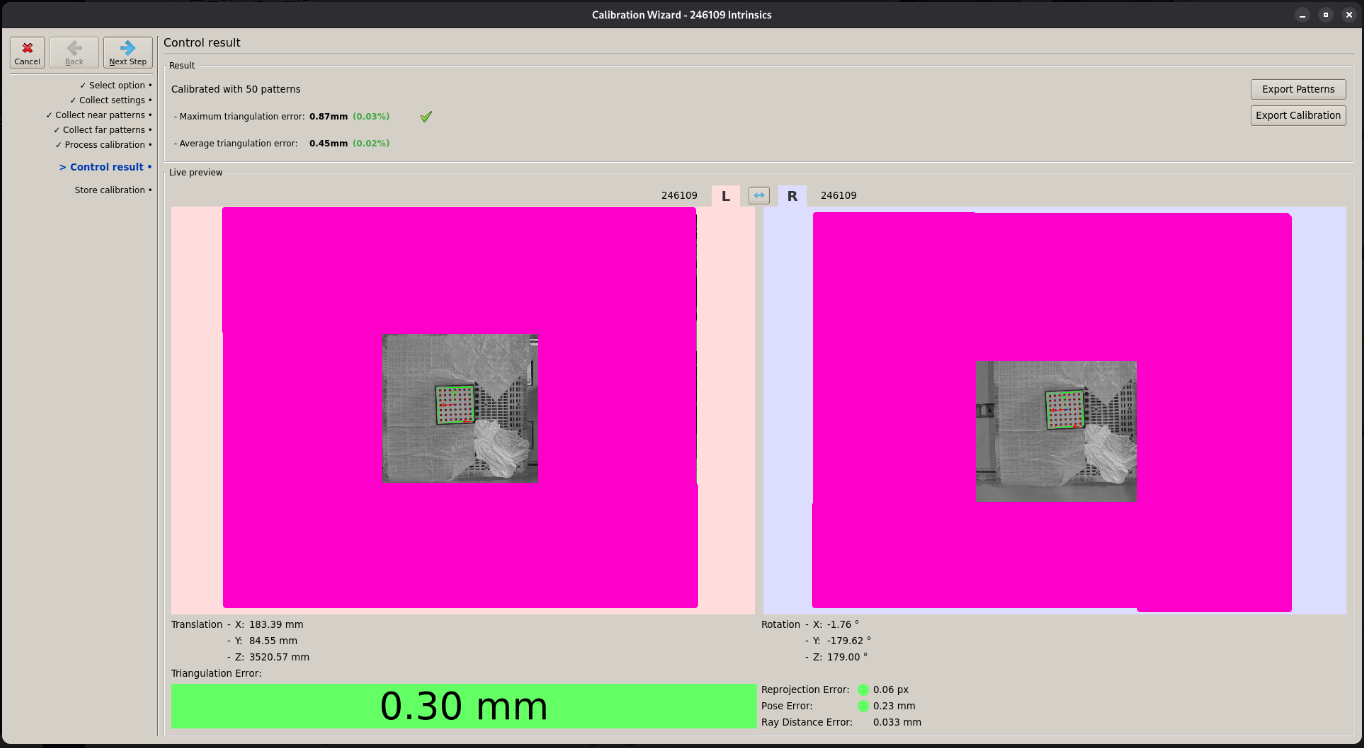
We performed intrinsic calibration for the X36. During the calibration process, the calibration board was successfully detected, and the error was shown in the Control result, as illustrated in the first image.
We did intrinsic calibration for X36. During calibration, we managed to detect the calibration board and check the error in Control result as you can see in the first image.
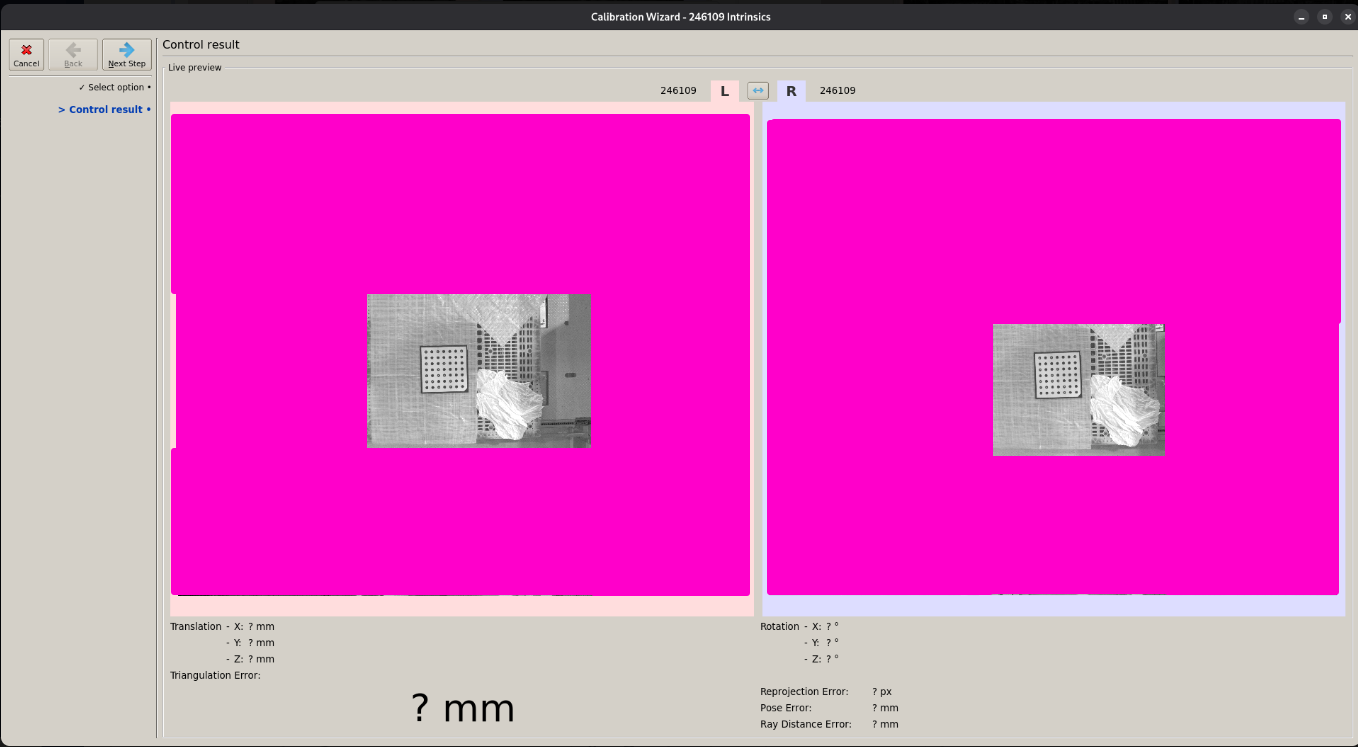
However, after applying the intrinsic calibration results, the calibration board could no longer be detected, even though it was placed in nearly the same position as during calibration.
Could you tell us what is the difference between Control result during calibration process and Control result to check current results? The image brightness looks different as well so we suspect there might be parameters difference between them.
As I understand it, your problem is as follows: You ran intrinsic calibration twice. The first time, it was successful, but the second time, the calibration wizard could not detect the calibration pattern. Am I correct? Based on your screenshots, I think the problem is that the calibration pattern is too far from the camera. The wizard cannot decode the pattern reliably, which is why it failed the second time. Let me summarize the possible resolutions:
Before detecting the pattern, the wizard should decode (recognize) the type of pattern. You probably chose automatic decoding.
Once the pattern is decoded, the wizard will remember the pattern type during calibration.
To ensure successful decoding, hold the pattern closer to the camera.
In the next step, you can position the pattern at the desired distance.
Thank you, we didn’t run intrinsic parameter calibration twice. We run only once.
Let me clarify what we did.
We run intrinsic parameter calibration once, and we can see the results with calibration board detected.
After that, we closed the calibration wizard but we wanted to check the calibration result again so we run Calibration > Measure Calibration. However, the calibration board cannot be detected anymore.
the points about the pattern decoding is still valid. Let me try to explain again.
At the position in the screenshots, the pattern is probably to small to decode the type of pattern reliably (since the white and black points cannot be distinguished clearly).
In the first case the pattern was probably decoded during the calibration, when you moved the pattern closer to the camera and the points became bigger. The size of the pattern is then remembered for the rest of the calibration as well as the “Control result” step and no new decoding is necessary.
When you restart the calibration wizard it discards this information and needs to decode the type of pattern again. When you go to the “Control” step directly and the pattern is never moved closer, it cannot be detected.
To solve this, you can use either of these possibilities:
Choose the type of pattern manually when the wizard asks for it.
Move the pattern closer until it is recognized once. You can then move it back a bit and it can still be detected.
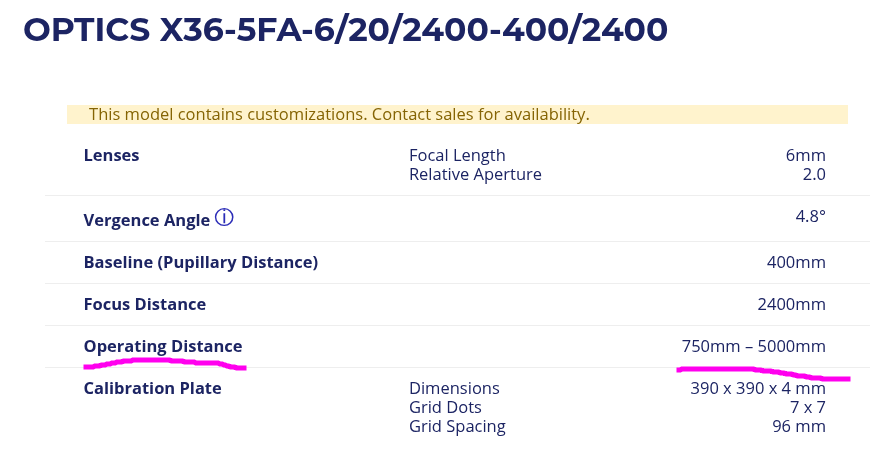
Use a calibration pattern with larger points. We now have a calibration target with 96mm grid spacing and much larger points, which is easier to use with such a large view field.
Move the pattern closer until it is recognized once. You can then move it back a bit and it can still be detected.
One more question:
If Operating Distance is 750mm - 5000mm, can I expect to detect within those range? After remembering the size and pattern, can we move the calibration board at 5000mm and the board must be detected?
The background of this question is that we want to verify the calibration results by checking error across detection volume after finishing intrinsic parameters calibration.
It probably cannot be detected across the whole operating range. At some point the points just become too small in the image. But you will have to try that out in reality.
We just didn’t have any larger calibration targets until we introduced 96mm grid spacing target relatively recently. That one would be better for your use case. Otherwise you can use the target you have in the range that it will work in and maybe skip the farthest part of the working volume.